 Blog •
02/05/26
One of the most common questions I hear around digital fashion is:
Which software is best?
But I do not think that is the most useful question.
A better question is:
Which software is best for the workflow, the role and the output you actually need?
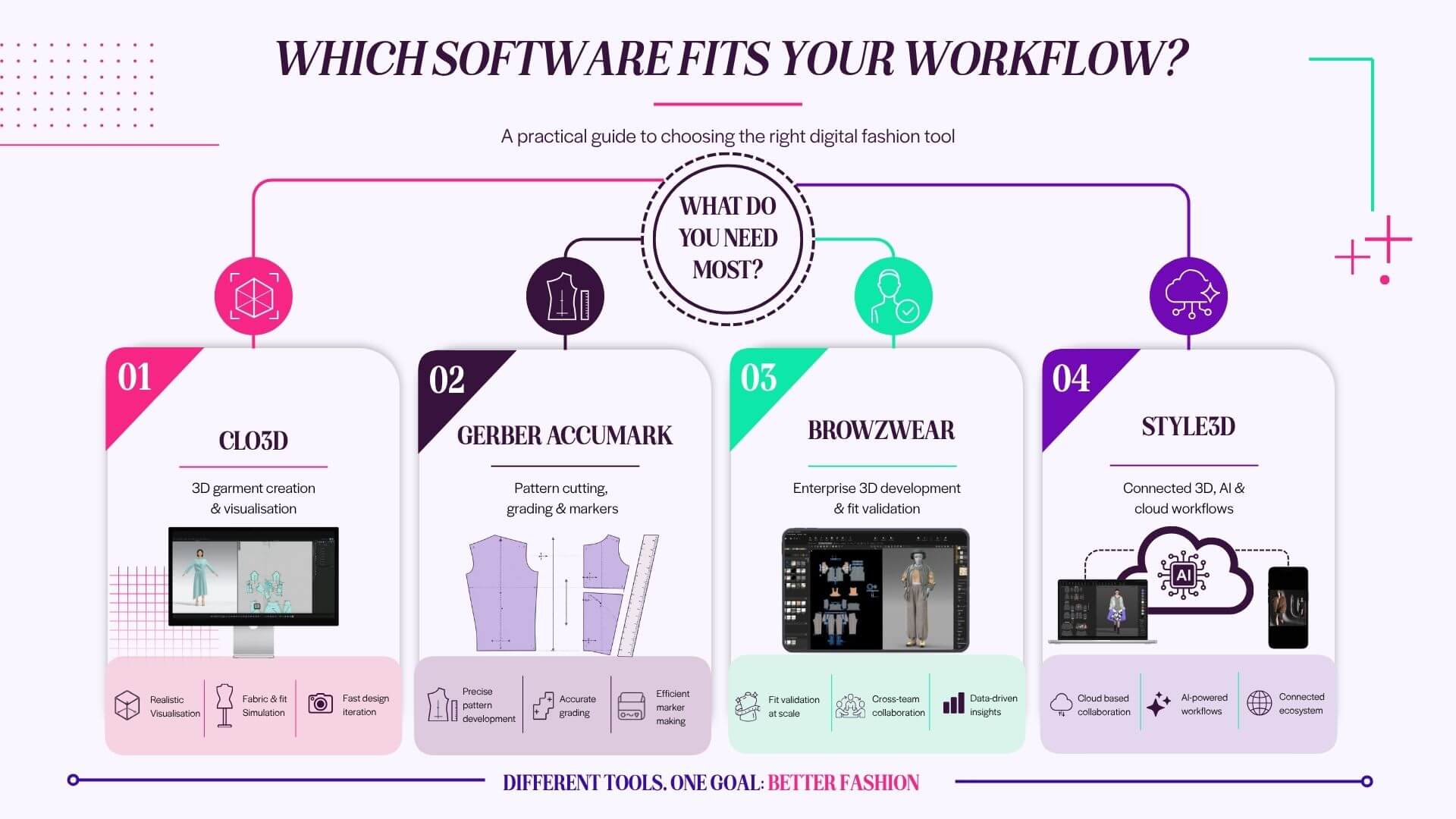
That distinction matters because CLO3D, Gerber AccuMark, Browzwear and Style3D all sit within the digital fashion and apparel development space, but they are not all trying to solve exactly the same problem.
Some are stronger for 3D garment creation and visualisation. Some are built around production pattern cutting, grading and marker making. Some are designed for larger brand workflows, fit validation and collaborative digital product development. Others are building broader ecosystems that connect 3D, AI, fabric digitisation and cloud-based working.
So rather than asking which software is “best”, I think we need to look at where each tool sits in the product development process.
Because software only becomes valuable when it supports the decisions you actually need to make.
Before going deeper into each tool, here is a practical overview.
| Software | Best for | Strongest use case | Less ideal for |
|---|---|---|---|
| CLO3D | 3D garment creation, digital sampling, visual communication and training | Designers, technical designers, educators, freelancers and brands starting or developing 3D workflows | Businesses needing deeply embedded cutting room, marker and production CAD workflows |
| Gerber AccuMark | 2D pattern cutting, grading, marker making and production preparation | Pattern cutters, graders, manufacturers and production teams | Beginners wanting a highly visual, 3D-first learning experience |
| Browzwear VStitcher | Enterprise 3D product development, fit validation and collaboration | Brands using 3D for digital twins, approvals and cross-team workflows | Solo learners or small businesses wanting a lower barrier to entry |
| Style3D | AI-supported 3D design, fabric digitisation, cloud collaboration and connected workflows | Brands exploring modern 3D ecosystems, digital materials and design-to-production workflows | Teams needing a long-established CAD ecosystem already embedded with every supplier |
This table is simplified, of course. There is overlap between all four tools. But it helps show why a direct “which is best?” comparison can be misleading.
The better comparison is to ask: what are you trying to achieve?
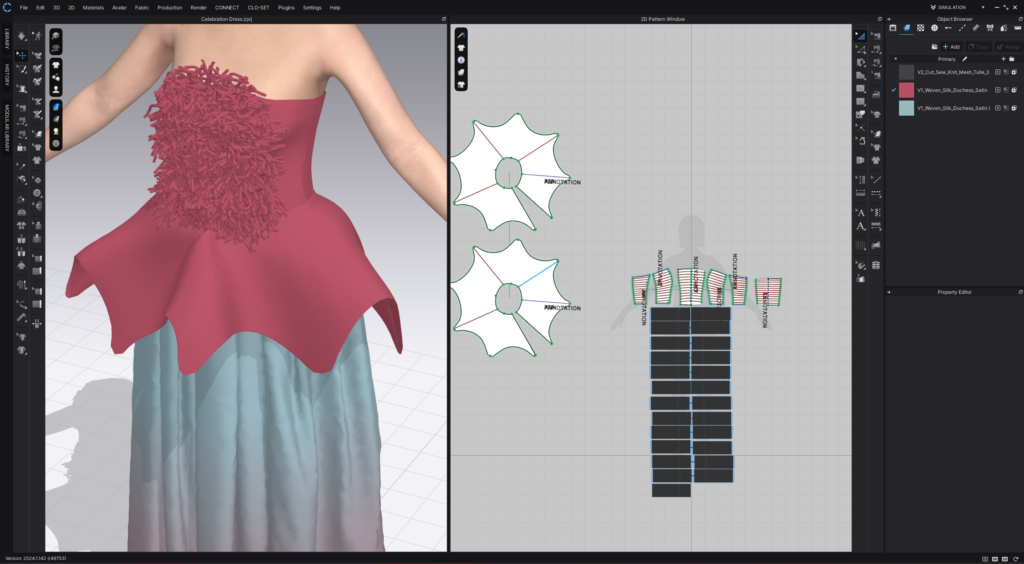
CLO3D is often one of the most approachable entry points into 3D fashion because it allows users to work between a 2D pattern window and a 3D garment simulation environment. CLO describes its software as a way to create real garments in real time and visualise fabric, fit and silhouette quickly.
That 2D and 3D connection is one of the reasons I find CLO3D so useful for teaching and product development.
When you move a pattern point, adjust a seam, change a fabric, alter an avatar measurement or test a proportion, you can immediately start to understand the relationship between the pattern and the garment. For learners, that visual feedback is incredibly powerful.
CLO3D is not just about creating attractive 3D images. It can support design development, technical conversations, fit checks, colourways, print placement, trims, styling, animation, rendering and internal decision-making. CLO also lists features across 2D patterning, 3D design tools, materials and fabrics, and avatars, which is why it can sit across several stages of a fashion workflow.
From my perspective, CLO3D is particularly strong when you need to:
It is also a strong option for freelancers and independent professionals because it can support a wide range of outputs, from development reviews to rendered visuals.
That said, I would not position CLO3D as a complete replacement for every production CAD workflow. If a business is heavily focused on industrial grading, marker making, cutting room integration or supplier systems already built around another CAD platform, CLO3D may sit alongside those tools rather than replace them.
Best for: fashion designers, technical designers, educators, students, freelancers, 3D product developers and brands wanting to build a more visual product development workflow.
Potential limitation: CLO3D is very strong for 3D creation, visual development and digital sampling, but some businesses may still need a dedicated production CAD system for grading, marker making and factory handover.
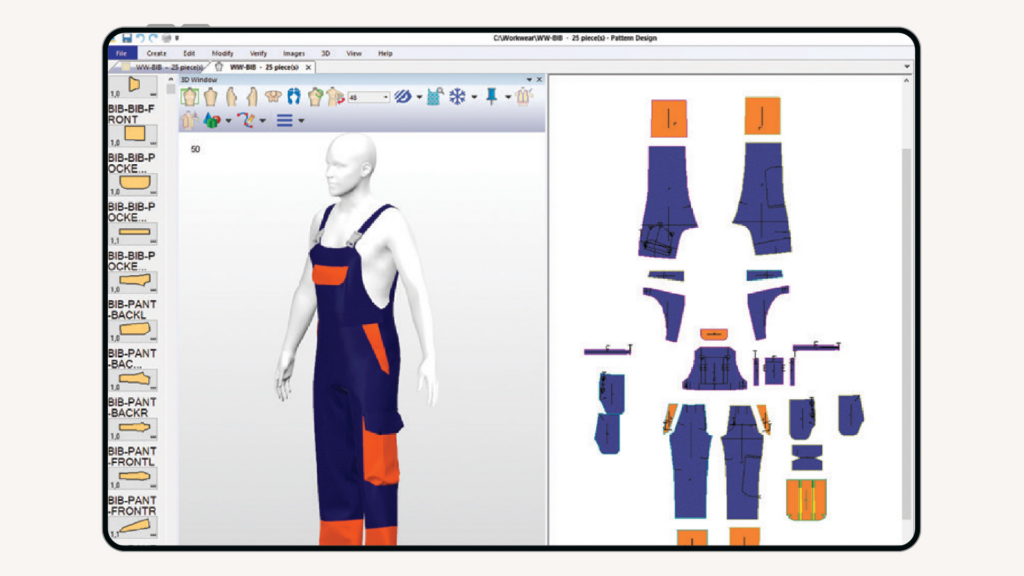
Gerber AccuMark is a very different tool to CLO3D.
It is not usually the first software I would suggest for someone who simply wants to explore 3D garment visuals or learn digital fashion design from a creative starting point. Its strength sits much more firmly in professional pattern development, grading, marker making and production preparation.
Lectra describes Gerber AccuMark as 2D/3D digital patternmaking software that helps fashion companies develop collections with the right fit, and as an integrated CAD suite from concept to completion.
That tells us a lot about where Gerber sits.
It is a serious production tool. It is widely associated with pattern cutting, grading, markers, manufacturing workflows and apparel production environments. For pattern cutters, graders and manufacturers, this type of system can be central to the development and production process.
If you are working in a business where patterns need to be graded, checked, marked, nested, sent to cutting systems or passed through an established manufacturing workflow, Gerber AccuMark is designed for that kind of environment.
This is where it differs from many 3D-first tools.
CLO3D may be stronger for visual development and learning the relationship between garment and pattern. Gerber AccuMark is stronger where pattern accuracy, grading logic, marker efficiency and production preparation are the main priorities.
That does not mean one is better than the other. It means they serve different needs.
Best for: pattern cutters, graders, garment technologists, manufacturers, production teams and businesses already working with Gerber-based suppliers or cutting systems.
Potential limitation: Gerber AccuMark can feel less visually immediate for beginners who want a 3D-first creative workflow. It is powerful, but it is not necessarily the easiest starting point for someone who wants to explore digital garment visuals quickly.
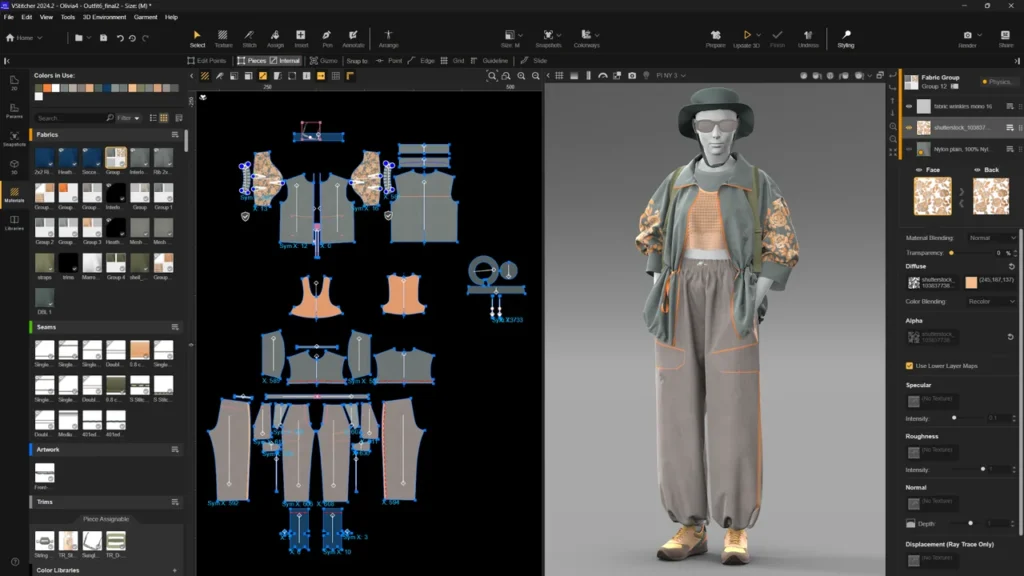
Browzwear VStitcher sits more firmly in the enterprise 3D product development space.
Browzwear describes VStitcher as 3D fashion design and development software that enables digital garment creation, improved fit and faster production with less waste. Its product page also positions VStitcher around accurate virtual twins of physical garments.
That “virtual twin” language is important.
Browzwear is not only about creating a garment that looks good on screen. It is built around the idea that the digital garment should support product decisions. This includes fit, fabric behaviour, approval workflows, collaboration and potentially reducing the number of physical samples needed.
Browzwear also highlights physics-based 3D simulation, real fabric data, AI fit validation and Stylezone collaboration, where teams can work around the same 3D asset.
This makes Browzwear particularly relevant for larger brands or teams where 3D is being used across departments.
For example, a designer, technical designer, buyer, product developer and supplier may all need to review the same style. In that scenario, the value is not only in creating the garment digitally. The value is in using that digital garment as a shared product development asset.
That is a slightly different conversation from individual learning or freelance 3D visualisation.
Browzwear can support a more structured digital product development process, especially when brands want to validate fit, review materials, reduce samples and create alignment between teams.
Best for: medium to large brands, product development teams, technical design teams, fit teams and businesses wanting to use 3D as part of a wider approval workflow.
Potential limitation: Browzwear may feel more enterprise-focused than some learners or small businesses need at the beginning. Access, implementation, training and team adoption all need to be considered.
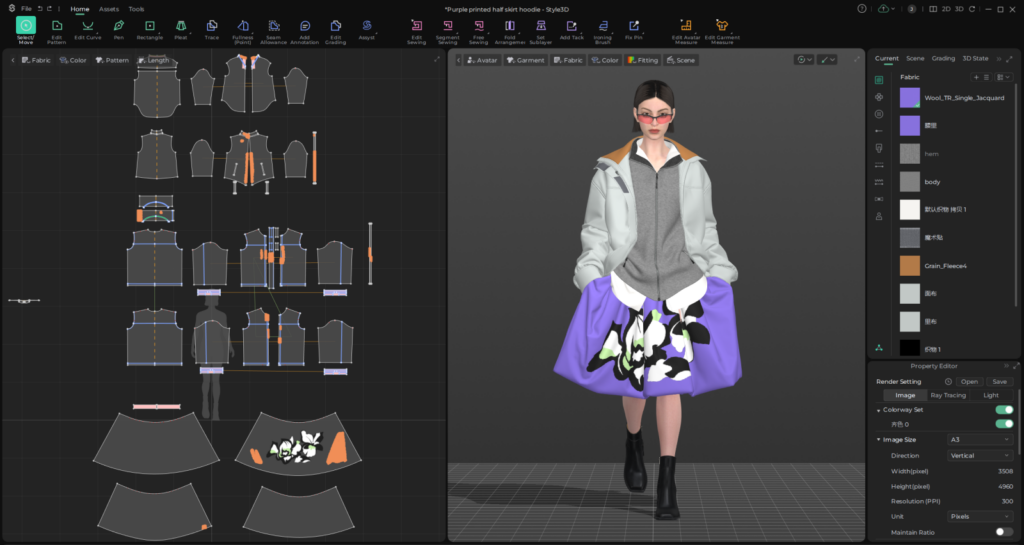
Style3D is one of the newer and faster-growing platforms in the digital fashion space, and it is positioning itself strongly around AI, 3D simulation, fabric digitisation and connected workflows.
Style3D describes its platform as AI-driven 3D simulation connecting design to production, with tools including Style3D Studio, Style3D Fabric, Assyst CAD and Style3D Cloud. Style3D Studio is described as 3D fashion design software with high-quality simulation, online design and manufacturing digitisation.
This makes Style3D interesting because it is not only trying to be a garment simulation tool. It is building a broader ecosystem across design, fabric, CAD, cloud collaboration and digital asset management.
For brands looking at connected workflows, that is worth paying attention to.
The inclusion of Assyst CAD is also important. Assyst has a long history within fashion technology, and Style3D’s wider positioning suggests an ambition to connect creative 3D development with more technical and production-focused workflows.
From a user perspective, Style3D may be particularly interesting for teams exploring:
The key thing to assess is how well it fits into your current ecosystem. A software tool can look impressive in isolation, but brands still need to consider supplier adoption, file exchange, internal training, regional support and compatibility with existing systems.
Best for: brands exploring modern 3D workflows, AI-supported product development, digital materials, cloud collaboration and broader connected digital ecosystems.
Potential limitation: As with any platform, the value depends on implementation. Teams need to check whether it works with their suppliers, internal systems, existing CAD processes and training requirements.
This is where I think many digital fashion conversations become too surface level.
It is easy to compare tools by features.
But in practice, the better question is:
What decision do you need the software to help you make?
• Are you trying to decide whether a silhouette works?
• Are you trying to check whether a pattern balances correctly?
• Are you trying to validate fit before sampling?
• Are you trying to communicate a design to a buyer?
• Are you trying to reduce physical samples?
• Are you trying to prepare production-ready graded patterns?
• Are you trying to collaborate with a supplier?
• Are you trying to create better visuals for sales or marketing?
• Are you trying to train a team?
Those are all different requirements.
And they may not all be solved by the same software.
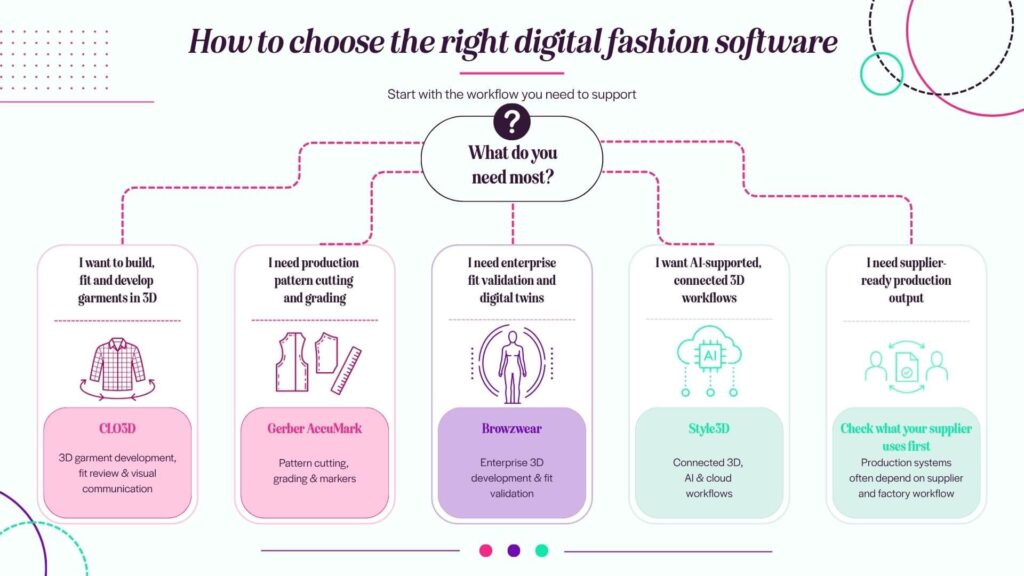
For example, a fashion designer may need CLO3D to quickly develop garment ideas and visualise shape. A pattern cutter may need Gerber AccuMark for production pattern work. A large brand may need Browzwear to support digital twins and approval workflows. A business exploring connected 3D, AI and fabric digitisation may want to look closely at Style3D.
In some cases, the answer may not be one tool.
It may be a workflow that uses more than one.
From an education and training perspective, this comparison raises another important point.
Students and professionals do not just need to learn software buttons.
They need to learn where the software sits in the fashion product development process.
A learner using CLO3D still needs to understand pattern cutting, fit, fabric behaviour and garment construction. A pattern cutter using Gerber still needs to understand how their decisions affect production and communication. A brand using Browzwear still needs internal alignment on fit standards, approval processes and digital asset use. A team using Style3D still needs to understand what is being automated, what is being simulated and what still requires human judgement.
The software may change, but the need for technical understanding does not disappear.
In fact, I would argue that digital tools make technical understanding even more important.
Because the faster the software becomes, the more important it is that the person using it can question the result.
• Does the garment make sense?
• Is the fabric behaviour believable?
• Is the fit decision valid?
• Is the pattern suitable for production?
• Is the digital sample communicating the right information?
• Does the output support the next person in the workflow?
That is where the real skill sits.
There is no single answer.
But there is a practical way to think about it.
Choose CLO3D if you need an accessible 3D garment creation tool that helps connect pattern, fit, fabric and visual development.
Choose Gerber AccuMark if your priority is professional pattern cutting, grading, marker making and production preparation.
Choose Browzwear VStitcher if you are working in a brand environment where 3D needs to support fit validation, digital twins, product approvals and team collaboration.
Choose Style3D if you are exploring a broader connected workflow across 3D design, AI-supported development, fabric digitisation and cloud collaboration.
But before choosing any tool, ask what you need it to do.
Not just today, but across the workflow.
The best software is not always the one with the longest feature list. It is the one that supports the decisions you need to make, the people you need to collaborate with and the outputs your team actually uses.
For me, that is where digital fashion training and consultancy becomes valuable.
It is not only about learning the software. It is about understanding the workflow around it.
Because when you understand the workflow, the software choice becomes much clearer.
If you are exploring 3D fashion software and are unsure where to start, I can help you map the right learning pathway for your role, team or business.
Through Fashion Toolbox, I offer tailored digital fashion training and consultancy across 3D product development, CLO3D training, digital pattern workflows and practical implementation support.
The goal is not to learn every tool for the sake of it.
The goal is to understand which tools support your work, your product decisions and your future workflow.



 Go Back