 Blog •
26/08/22
CAD stands for computer-aided design, but in fashion the word means different things depending on who is using it and where they sit in the product development process. In its broadest sense it covers the digital tools used to design and develop garments, from 2D drawings and print artwork to pattern cutting, grading and 3D development. Within many design teams, though, “can you send me the CAD?” simply means a 2D digital drawing of the garment.
That overlap causes more confusion than you might expect. A designer may want a coloured flat for a range review, a pattern cutter may expect a technical drawing with construction detail, and a 3D developer may assume a digital pattern is on its way. All three have asked for a CAD. It is always worth asking what the CAD is for before anyone starts producing it.
Computer-aided design means using software to support design or development work. In fashion that covers 2D garment drawings, colourways, prints and graphics, digital pattern cutting and grading, marker making, and 3D garment simulation. CAD describes a category of tools, and each part of that category answers a different question about the product.
It is also worth separating CAD from AutoCAD, which is one specific general-purpose product from Autodesk. People searching for “AutoCAD fashion design” are usually looking for fashion CAD software, and the right choice depends on whether they need technical drawings, patterns, graphics or 3D garments.
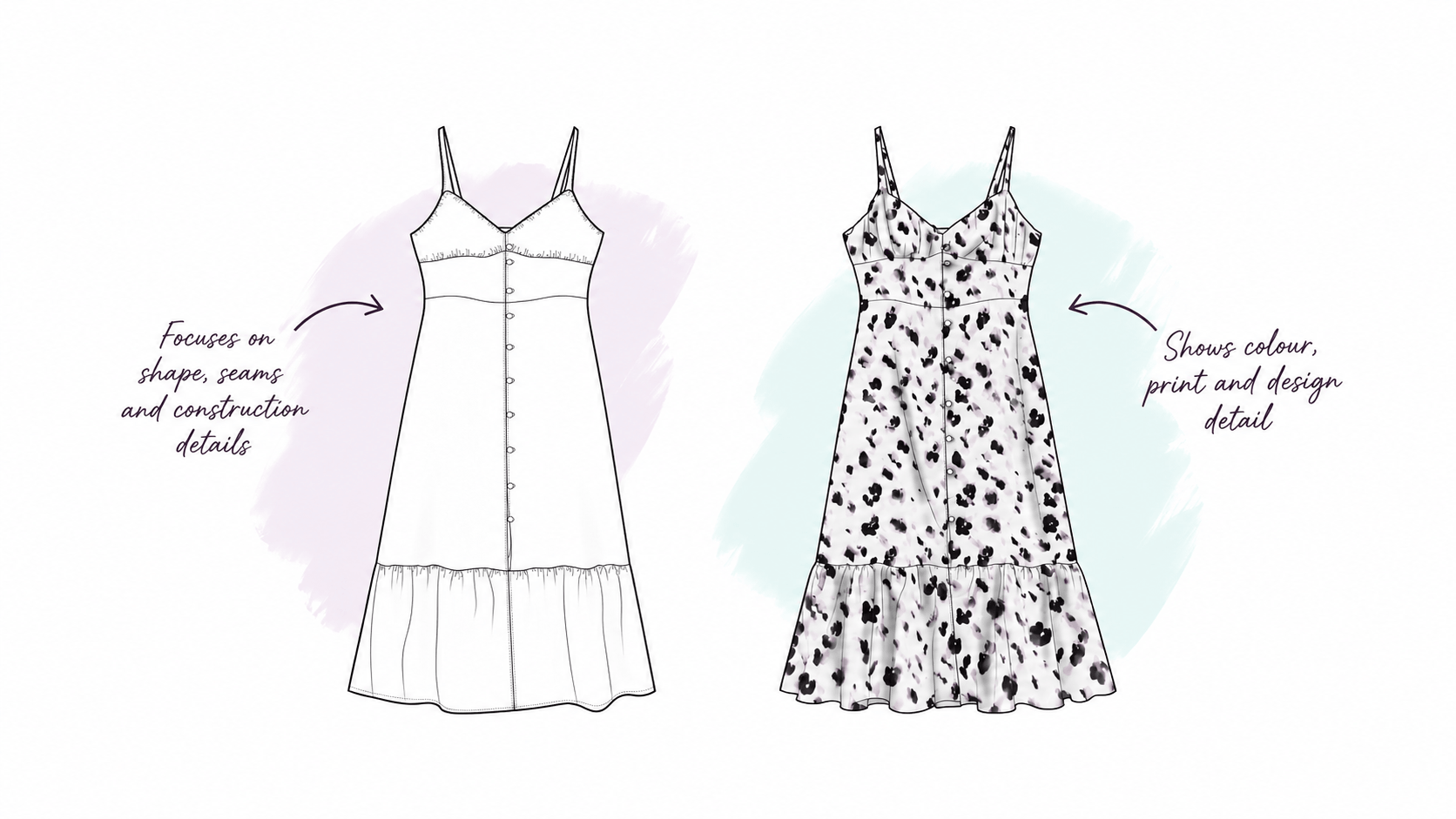
A technical flat, also called a technical drawing, flat sketch, tech sketch or simply a flat, is a clear 2D drawing of a garment. Its job is communication. It usually shows the front and back, with extra detail views where needed, and should make the silhouette and construction features clear enough for everyone involved in development to understand the product. That includes seams and panel lines, darts, pleats and gathers, pockets, collars and cuffs, fastenings, topstitching, trims and hardware.
Proportion matters more than most people expect. If a pocket is drawn slightly too high or a hem is deeper than intended, a pattern cutter will either query it or follow it, and either way time is lost. Both are much cheaper to fix on the drawing than on a sample.
Technical drawings sit inside tech packs and specification documents, but the drawing is only one part of the information a manufacturer needs. A production tech pack also needs measurements, materials, trims, construction notes and tolerances, and the flat only makes sense alongside them.
Technical flats are usually presented as clean line drawings, often in black or greyscale, because construction detail needs to stay easy to read. Colour, print and fabric are then shown separately through colourways, swatches or artwork pages. Conventions do vary between companies, and some colour-block a flat to show fabric and trim placement, so the useful test is whether the drawing is clear, consistent and right for the person using it.
Terminology becomes less consistent here. Some companies use “fashion flat” and “technical flat” to mean the same thing, while others separate a detailed technical drawing from a presentation-led design flat. A design flat is still a flat drawing of the garment, but it may include colour, print or graphic placement, simplified construction detail, several colourways and a cleaner, sometimes slightly more stylised, look for range reviews, line plans and buyer meetings.
Design flats still need to be honest about the garment. Buyers and stakeholders approve what they see, and if the flat promises a proportion or silhouette that development cannot deliver, the problem usually surfaces at sampling rather than at the review.
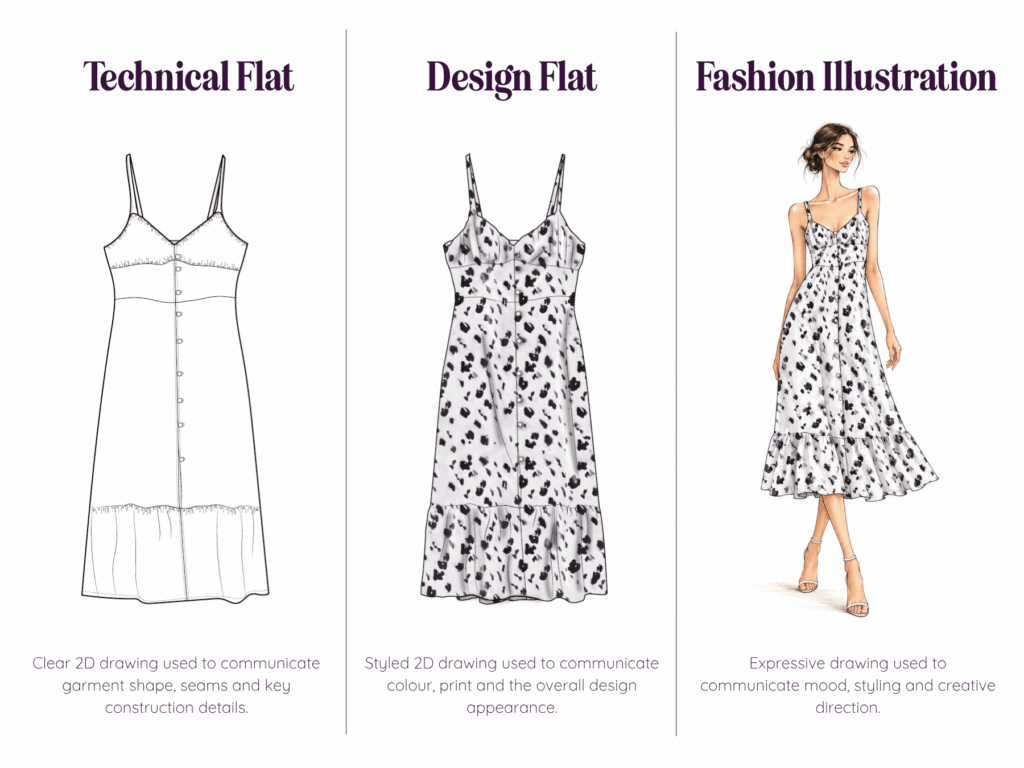
| Technical flat | Design / presentation flat | Fashion illustration | |
|---|---|---|---|
| Main purpose | Product and technical communication | Design and range communication | Mood, concept and presentation |
| Garment shown | Flat, front and back | Flat, often with colourways | Usually on a stylised figure |
| Construction detail | High | Selected or simplified | Limited |
| Colour and print | Often shown on separate pages | Common | Common |
| Proportion | Accurate and consistent | Accurate, sometimes slightly stylised | Often deliberately exaggerated |
| Typical use | Tech packs, development, supplier communication | Line plans, buyer reviews, presentations | Concept boards, portfolios, editorial |
The more digital and 3D workflows become, the more some people assume 2D drawings are redundant. In practice they remain one of the quickest ways to communicate a garment. A typical route runs from concept or sketch to 2D garment CAD, then pattern development, 3D or physical sampling, technical documentation and production, but the order varies enormously between businesses. A designer might draw an Illustrator flat before any pattern exists, while a technical designer might keep updating the drawing as construction is resolved, and a 3D developer will often still need a flat for the final documentation.
I’ve looked at how 2D vector drawing and 3D development work together in CLO3D vs Adobe Illustrator: Which Design Software Is Right for Fashion Professionals?
Pattern CAD tends to get missed when CAD is treated as “drawing garments in Illustrator”. Specialist apparel CAD systems, such as Gerber AccuMark, Lectra Modaris and Optitex, are used to create and edit patterns, apply grading and, depending on the system, produce markers. A flat shows where a seam sits. The pattern holds the geometry that decides how that seam is cut and sewn, including curve, length, notches and seam allowance. This difference becomes even more important once you move into 3D.
3D fashion software lets a garment be built and reviewed spatially. In a tool such as CLO3D, 2D pattern pieces are simulated around an avatar, so a change to the pattern can be seen immediately in the 3D garment. Depending on the quality of the pattern, avatar and fabric data, that can support earlier decisions on proportion, construction, materials and fit. The quality of the result depends on those inputs, since a 3D garment built from a poor pattern is simply a convincing picture of a poor garment. It also does not replace technical drawings, patterns, tech packs or physical validation, because each answers a different question.
CLO3D, Gerber AccuMark, Browzwear and Style3D are built around different workflows, which I compare in CLO3D vs Gerber AccuMark vs Browzwear vs Style3D: What Each Fashion Software Is Best At.
There is no single best CAD software for fashion, because it depends on what you need to produce. Adobe Illustrator is widely used for technical flats, graphics and vector artwork, and it is taught specifically for technical fashion drawing on courses such as UAL’s short course. Other vector tools, including CorelDRAW, can also produce flats. If you are learning from scratch, my article on building Adobe skills with fashion learners shows how I approach it. Pattern cutting, grading and production patterns need specialist apparel CAD, and 3D garment development sits with platforms such as CLO3D, Browzwear and Style3D.
Rather than asking which software is best, it is more useful to ask what you are trying to produce, who needs to use it, and what happens to that information next.
AI tools can now generate garment drawings that look like technical flats from images, sketches or prompts, and that can be useful for an early draft. A drawing that looks technical is not automatically correct, though. Proportion, seams, closures and construction details still need checking against the intended product, particularly if the drawing is going into a tech pack. I’ve written about the gap between a convincing image and a usable one in AI vs 3D in Fashion: When a Beautiful Image Isn’t Production Ready.
Usually the safest answer is to ask what it is for. They might want a technical flat for a tech pack, a coloured design flat for a range review, a vector drawing for artwork, a digital pattern, a graded pattern, a 3D garment, or just a digital version of their sketch. Fashion terminology is not as standardised as we might like, so clarifying the purpose, the user and the output early saves a surprising amount of rework.
What does CAD stand for in fashion design?
Computer-aided design. In fashion it can describe anything from technical garment drawings and textile artwork to pattern development, grading and 3D garment design.
What is a CAD drawing in fashion?
In everyday industry language it usually means a digital 2D drawing of a garment. Depending on the business it may be called a flat, technical flat, technical drawing or design flat.
Is a fashion CAD the same as a technical drawing?
Sometimes, but not always. A technical drawing prioritises clear garment and construction information, whereas a design or presentation flat may add colour, print and simplified detail.
Is AutoCAD used in fashion design?
AutoCAD is one specific Autodesk product, while CAD is the broad category. Fashion businesses generally choose software for the task, such as vector drawing, pattern cutting, grading or 3D garment development.
What software is best for fashion CAD?
It depends on the output. Illustrator is widely used for technical drawings and artwork, specialist apparel CAD for patterns and grading, and CLO3D, Browzwear and Style3D for 3D garment workflows.
Is CLO3D a CAD program?
CLO3D sits within the wider fashion CAD and digital product development landscape. It combines 2D garment patterns with 3D simulation, so it does more than a 2D drawing tool.


 Go Back